
Below are 70 current, vetted resources — organized into the categories that matter most: standards and guidelines, advocacy, testing tools, law, training, university programs, captioning, content creation, research, and community. Every external link was verified at publication. Where a resource had moved or shut down since the article was first written, it has been swapped for the closest active equivalent, so the list stays practically useful instead of quietly rotting.
The list has deliberately been trimmed of dead URLs, duplicative entries, and 2016-era references that no longer reflect how accessibility work is actually done. The emphasis is on resources you can cite in a policy, bookmark in a design system, install in a CI pipeline, or hand to a colleague who needs to get up to speed quickly.
How to Use This List
70 resources is a lot. The practical move is not to bookmark every link, but to build a small, working stack that matches the role you’re in:
- If you’re building the case for accessibility investment internally: read the WebAIM Introduction (#54), look at the DOJ Title II Final Rule (#22), and pull the WebAIM Million stats (#57) and the ADA Title III lawsuit counts (#62). That combination gives you the stakes (law), the scale (data), and the plain-language framing (WebAIM) that most executive audiences need to approve a program.
- If you’re drafting a policy or accessibility statement: borrow structure from Queen’s University (#38), the CalState Accessible Technology Initiative (#41), and the HHS Accessibility Statement (#63). Combine with the WCAG Quick Reference (#3) to identify which conformance level you’re committing to and which success criteria you need to measure against.
- If you’re building testing into your workflow: install WAVE (#11) in your browser, add axe DevTools (#12) for deeper scans, run Lighthouse (#13) on every PR, and add Pa11y (#14) to CI. Pair with the WebAIM Keyboard Accessibility guide (#48) and the A11y Project Checklist (#55) for the manual checks automation can’t cover.
- If you need to train a team: onboard with Deque University (#27) or WebAIM Training (#26); back them up with the W3C WAI Tutorials (#28) and the ARIA Authoring Practices Guide (#56) as reference material.
- If you’re building components from scratch: start with Inclusive Components (#68) and the ARIA Authoring Practices Guide (#56). Verify with axe DevTools (#12) and test manually with NVDA or VoiceOver.
- If you’re making documents or PDFs accessible: Microsoft Accessibility Checker (#49), Adobe Accessibility (#50), and the Schema.org accessibility properties (#53) cover most of what a content team needs.
Accessibility work tends to stall when teams try to adopt every framework and tool at once. A narrower stack, used consistently across every release, produces more accessible products than a wide stack used sporadically. Start small, prove the value, then expand.
Building an Accessibility Stack
Most mature accessibility programs converge on a similar stack of tools and references — not because any single product is best, but because the combination covers the different failure modes accessibility testing has to catch.
A practical baseline in 2026:
- Browser extensions for spot-checks: WAVE and axe DevTools, both free, installed on every developer’s browser. Use for quick verification during design reviews, code reviews, and bug triage.
- Lighthouse in Chrome DevTools: built in, no install needed. Use as a one-keystroke baseline on any new page.
- Pa11y or Lighthouse CI in your build pipeline: fail the build when new accessibility issues appear. The specific choice is less important than the fact that something fails visibly when regressions ship.
- Accessibility Insights for guided manual testing: structured walkthroughs of every WCAG 2.1 AA requirement, with explicit prompts for the parts automation can’t determine.
- WebAIM Color Contrast Checker open in a tab: verify new color palettes before they hit production. Design-system teams should institutionalize this check.
- At least one manual test rig per platform: NVDA on Windows (Firefox), VoiceOver on macOS (Safari), VoiceOver on iOS (Safari), TalkBack on Android (Chrome). You don’t need to test every release on every combination, but you need at least one person on the team who can run each.
- An optional enterprise platform for cross-site monitoring: Siteimprove, Monsido, Deque Axe Auditor, or Silktide when you need to track thousands of pages across multiple products. Worth the cost once you have more content than humans can spot-check.
Layer in live user testing (Fable, Applause, Knowbility) for critical flows at least once a year, and integrate accessibility acceptance criteria into every product requirements document. The tools aren’t what make a site accessible — they’re what surface the work. The actual accessibility work is still the semantic HTML, thoughtful design, and disciplined content practices the other sections of this list point toward.
Standards and Guidelines
These are the technical and normative documents every accessibility program ultimately references. Build your internal policy, training, and procurement language around these — they’re the common vocabulary across U.S., EU, UK, Canadian, and most other national accessibility regimes.
1. W3C Web Accessibility Initiative (WAI)
The W3C Web Accessibility Initiative is the authoritative source on web accessibility. It publishes WCAG, WAI-ARIA, ATAG, and UAAG, plus introductory tutorials, example code patterns, presentations, and policy guidance organized by role (developer, designer, content author, manager, policy maker). Start here if you’re new to the field, and return here whenever a standards question comes up. The WAI also maintains the authoritative how-to documents that sit alongside each WCAG success criterion. Everything there is free, well-indexed, and maintained by the same body that writes the normative standards — so there’s no better place to resolve a disputed interpretation.
2. Web Content Accessibility Guidelines (WCAG)
The Web Content Accessibility Guidelines are the global reference standard. WCAG is structured around four principles (Perceivable, Operable, Understandable, Robust) and three conformance levels (A, AA, AAA). Target WCAG 2.1 AA at minimum, with 2.2 AA (published October 5, 2023) as the forward-compatible goal. Level AA is cited by virtually every accessibility law and regulation in force in 2026, including the DOJ’s Title II Final Rule and the EU’s EN 301 549.
3. How to Meet WCAG Quick Reference
The How to Meet WCAG Quick Reference is the W3C’s filterable checklist and the most practical day-to-day WCAG tool on the web. Choose version (2.1 or 2.2), conformance level (A/AA/AAA), and the tags you care about (mobile, low vision, cognitive), and get exactly the success criteria that apply — with techniques and common failures linked inline under each. Bookmark it; most teams use it daily.
4. W3C Accessibility Standards Overview
The W3C Accessibility Standards Overview maps the ecosystem beyond WCAG: WAI-ARIA 1.2 (W3C Recommendation, June 2023) for dynamic widgets, ATAG 2.0 for authoring tools, UAAG for browsers and media players, plus related specifications (pronunciation, personalization semantics, accessibility conformance testing). Use it as the single source of truth when a vendor or stakeholder asks which standards apply to their product.
5. W3C Accessibility Requirements for People with Low Vision
The W3C Accessibility Requirements for People with Low Vision is a detailed user-needs document that informs WCAG’s low-vision success criteria (reflow, text spacing, contrast, orientation, non-text contrast). Useful as both background reading before a design review and as evidence when defending design decisions to stakeholders who want to ship minimum-spec text sizes and thin, low-contrast typography.
Advocacy Organizations
Advocacy organizations shape policy, produce research, and offer hands-on support for people with disabilities. They’re also a reliable source of lived-experience perspective — the thing that’s easy to lose when accessibility work stays inside engineering and QA.
6. National Federation of the Blind
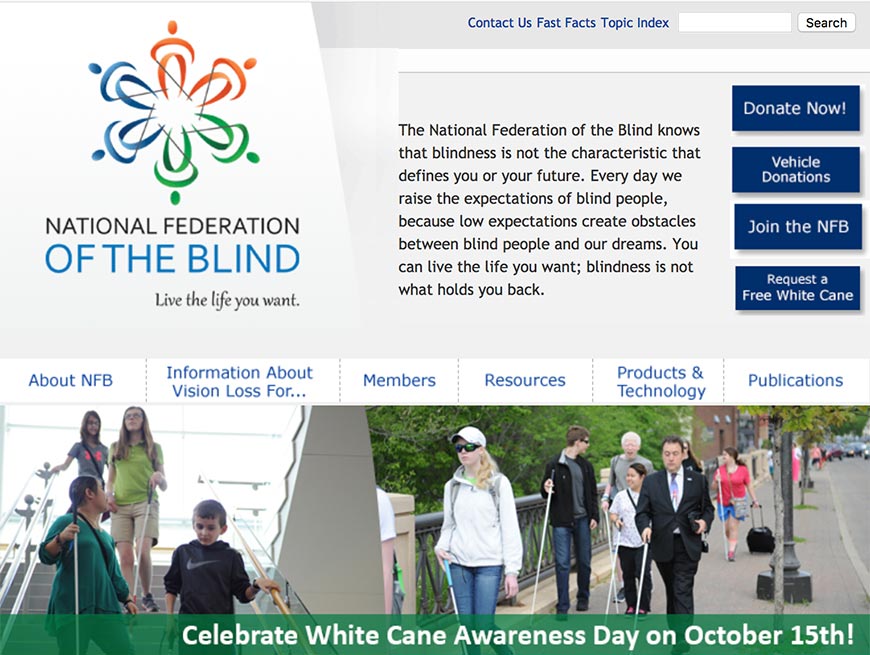
The National Federation of the Blind is the oldest and largest civil-rights organization of blind Americans. Beyond advocacy, the NFB runs the Independence Market (assistive-tech products), the Jacobus tenBroek Library, a national scholarship program, and a range of education and accessibility-policy resources. The NFB is also responsible for much of the case law that has shaped U.S. web-accessibility jurisprudence — its amicus briefs and test cases appear in many of the landmark Title III rulings. Good reference for sourcing lived-experience feedback on design decisions and for understanding how blindness advocacy frames accessibility issues politically.
7. Jernigan Institute
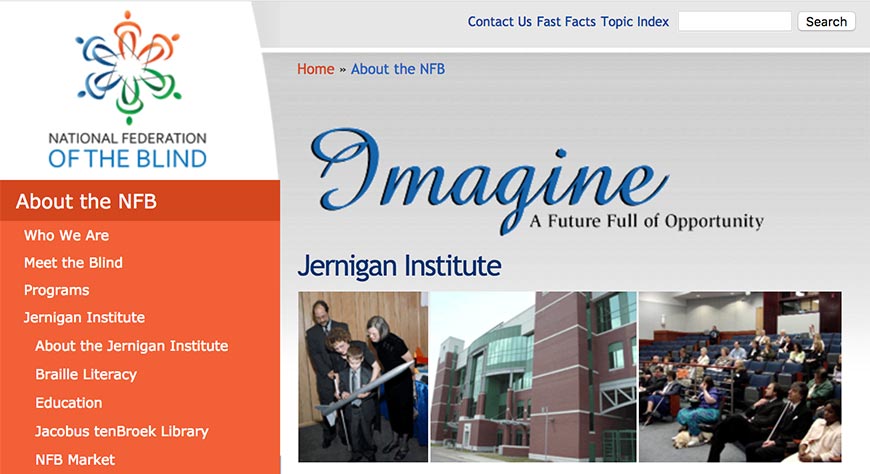
The Jernigan Institute is the NFB’s research and training arm, housing the Center of Excellence in Nonvisual Access to Education, Public Information, and Commerce. Its work shapes screen-reader standards, braille literacy programs, and access-technology reviews. The institute is also the home of the NFB’s annual convention workshops on accessible education, tech, and employment. A good source for research citations when you need to back up accessibility program proposals with peer-reviewed evidence rather than just tool-vendor marketing.
8. National Association of the Deaf
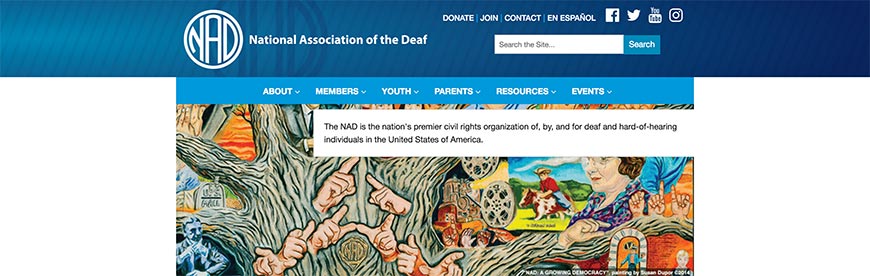
The National Association of the Deaf (NAD) is the U.S. civil-rights organization for deaf and hard-of-hearing citizens. NAD’s advocacy has produced landmark captioning and telecommunications-accessibility rulings — including the 21st Century Communications and Video Accessibility Act (CVAA, 2010) — and its resource pages cover employment, education, legal rights, and interpreter standards. Useful when your work touches video content, real-time communication, or any product where sign-language interpretation or captioning plays a role.
9. American Foundation for the Blind
The American Foundation for the Blind (AFB) focuses on research, public policy, and access-technology evaluation. AFB’s Access World reviews are a long-running authority on consumer-facing assistive tech (screen readers, magnifiers, braille displays, OCR apps), and the AFB’s public-policy arm frequently files comments on federal accessibility rulemaking. A practical resource when evaluating a specific piece of assistive tech (screen reader, braille display, mobile OCR app) before recommending it to an accommodation request or employee resource group.
10. ADA National Network (ADA Anniversary Toolkit)
The ADA National Network provides technical assistance, training, and implementation materials on the Americans with Disabilities Act. Its ADA Anniversary Toolkit is the reference library for ADA history and implementation; the network’s ten regional centers handle jurisdiction-specific questions and offer free consultations for employers, public entities, and covered businesses working through ADA compliance issues. If you’re unsure whether a specific scenario falls under Title I, II, or III, your regional ADA National Network center will answer that question without a legal retainer.
Testing and Evaluation Tools
Automated, CI-friendly, and browser-based tools for catching accessibility regressions before they ship. None of these are sufficient on their own — automation catches roughly 30-40% of WCAG issues — but together they form the backbone of any continuous accessibility program.
11. WAVE Web Accessibility Evaluator
WebAIM’s WAVE is a free browser-based evaluator that flags WCAG issues in context on the page — icons overlay the elements in question, so you see exactly what breaks and where. Available as a browser extension (Chrome, Firefox, Edge), a standalone web interface, and a paid API. A good first pass on any page before deeper testing. WAVE is especially useful during design reviews because non-developers can interpret the overlay icons without needing to read a console of error output.
12. axe DevTools (Deque)
Deque’s axe DevTools is the industry-standard automated accessibility engine. It powers most modern tooling (Google Lighthouse, Microsoft Accessibility Insights, and many in-house rigs all embed axe-core). The free browser extension handles spot-checks; the paid tiers add CI integration, Intelligent Guided Tests (walkthroughs for things automation can’t fully catch), and reporting dashboards. axe-core (the open-source library) is under MIT license and can be embedded directly in custom test suites — most internal accessibility rigs we see in 2026 are thin wrappers around axe-core plus a few project-specific rules.
13. Google Lighthouse
Google Lighthouse is built into Chrome DevTools and runs WCAG-aligned accessibility audits (via axe-core) alongside performance, best-practices, and SEO scans. A convenient one-keystroke baseline that you can run on any page without installing anything extra. Lighthouse CI is also available for automated checks in build pipelines. Because Lighthouse scores four domains at once (performance, accessibility, best practices, SEO), it’s a natural choice when you want one unified quality gate rather than three separate tools.
14. Pa11y
Pa11y is a command-line accessibility testing tool designed for CI pipelines. Run it against a list of URLs, fail the build on new violations, and produce machine-readable reports. Pa11y Dashboard makes it easy to track regression across many pages over time. Pa11y is free, open-source, and the de-facto choice for teams that want Lighthouse-style checks without a commercial dependency. Pa11y pairs well with a static-site generator or a pre-rendered SPA; for heavy client-rendered React or Vue apps, check that your URL list covers the fully-rendered routes Pa11y will actually crawl.
15. Microsoft Accessibility Insights
Microsoft Accessibility Insights is a free tool (web, Windows, and Android versions) that combines automated scans with guided manual tests. Its FastPass covers the most common issues in about 5 minutes; its Assessment mode walks through every WCAG 2.1 AA requirement one at a time, prompting for manual verification where automation can’t decide. Good for teams that want a structured approach without paying for a commercial platform. Accessibility Insights is the most complete “bring a colleague up to speed on manual accessibility testing” tool available — its Assessment mode doubles as self-directed training for testers new to WCAG.
16. IBM Equal Access Toolkit
The IBM Equal Access Toolkit bundles a design-phase checklist, a free accessibility checker browser extension, developer guidance organized by component and phase, and a documented verification process. A practical resource for embedding accessibility into the full product lifecycle rather than bolting it on before release. Particularly strong on the design-phase artifacts — component specs, annotation templates, review checklists — that most other tools in this space skip over.
17. Siteimprove Accessibility
Siteimprove is an enterprise accessibility and quality-assurance platform that crawls whole sites, tracks regression over time, and maps issues to specific WCAG success criteria. Frequently procured alongside Monsido, Deque Axe Auditor, and Silktide for enterprise-scale coverage of thousands of pages. Worth the investment when you need rollup reporting across many products or properties. Most of these platforms also integrate with procurement and policy workflows, which matters when the accessibility program reports to legal, compliance, or brand standards as well as engineering.
18. WebAIM Color Contrast Checker
The WebAIM Color Contrast Checker is the simplest way to validate WCAG contrast ratios. Paste a foreground and background color, get AA/AAA pass/fail for normal and large text. Also try WebAIM’s Link Contrast Checker when styling link colors — WCAG 1.4.11 requires 3:1 contrast between link and surrounding body text when color is the only differentiator. Design-system teams should wire these checks into the color-token pipeline so contrast is validated at the token level rather than at each component.
19. W3C Markup Validation Service
The W3C Markup Validator is the canonical check for HTML correctness. Valid markup is a WCAG 4.1.1 baseline (note: 4.1.1 is obsoleted in WCAG 2.2 but still best practice) and a prerequisite for assistive tech interpreting your pages correctly. Malformed HTML shows up as weird screen-reader behavior long before it shows up as a visible browser bug. The validator is also useful in debugging accessibility issues that don’t reproduce consistently — a borderline parse error can cause intermittent ARIA state failures that are nearly impossible to isolate otherwise.
20. FAE (Functional Accessibility Evaluator)
The University of Illinois’s Functional Accessibility Evaluator is a rules-based scanner that reports by ARIA landmarks, headings, forms, and other functional categories rather than strictly by WCAG success criterion. A useful complement to axe-based tools, because it forces you to think about structure (regions, headings, landmarks) that automation often glosses over. FAE’s functional categorization surfaces problems like “your page has no main landmark” or “your headings don’t form a coherent outline” that axe-based tools treat as less severe than they actually are for real screen-reader users.
Legal and Regulatory Resources
Primary sources and official implementations of U.S. and Canadian accessibility law. Cite these directly in your accessibility statement, procurement requirements, and policy documentation.
21. ADA.gov
ADA.gov is the U.S. Department of Justice’s official portal for the Americans with Disabilities Act. It publishes regulations, technical-assistance documents, and settlement summaries, and it hosts the text of the DOJ Title II Final Rule. See our ADA guide for a plain-language walkthrough of Titles I through V and how courts have extended ADA coverage to websites. The site publishes settlement agreements verbatim, which is useful when drafting your own accessibility statement or remediation plan — you can see the exact language a settled defendant committed to.
22. DOJ Title II Web Accessibility Final Rule
The DOJ Title II Final Rule (published April 24, 2024) is the single biggest web-accessibility regulatory development in U.S. history. State and local government websites and mobile apps must meet WCAG 2.1 AA, with compliance deadlines of April 24, 2026 for jurisdictions serving 50,000+ residents and April 26, 2027 for smaller entities. If you work with any public-sector organization in the U.S., this is the rule driving most accessibility investment in 2026. Private-sector organizations also track the rule closely because the DOJ’s chosen standard (WCAG 2.1 AA) is the same standard plaintiffs cite in Title III lawsuits, and the compliance deadlines make WCAG 2.1 AA effectively the U.S. national baseline.
23. Section 508.gov
Section 508.gov is the U.S. General Services Administration’s Section 508 resource hub. Section 508 (refreshed in 2018 to conform to WCAG 2.0 AA and to harmonize with EN 301 549) governs federal agencies and federal contractors. The site publishes ICT accessibility policy, procurement guidance (VPAT/ACR templates), training, and a searchable database of accessibility conformance reports submitted by vendors. The VPAT/ACR template itself is the de-facto procurement document across U.S. federal, state, and increasingly private-sector procurement — if you’re buying software, demand a current VPAT before signing.
24. Assistive Technology Act
The Assistive Technology Act (AT Act) authorizes federal grants to state-level AT programs. The 1998 Act was amended in 2004 and reauthorized since; it funds the AT device-loan programs, training, and information clearinghouses that many U.S. state governments run. Useful if you’re referencing state-level AT support for constituents or employees. Each U.S. state and territory has an AT Act Program, and pointing disabled employees or customers to their state program is often a faster accommodation route than sourcing assistive tech directly through your own IT budget.
25. Accessibility for Ontarians with Disabilities Act (AODA)
The AODA site is the reference for Ontario’s provincial accessibility law. AODA standards cover websites (Integrated Accessibility Standards Regulation references WCAG 2.0 AA), transportation, employment, built environment, and customer service. One of the most mature sub-national accessibility regimes — worth studying even outside Canada as an example of how multi-sector accessibility legislation works in practice. Ontario’s layered deadlines — different rollout dates for different sectors and organization sizes — are the template many jurisdictions are following, including the U.S. DOJ Title II Final Rule’s tiered compliance schedule.
Training and Education
Courses and curricula for designers, developers, content authors, and product managers who need to build accessibility skills. Combine self-directed study (WebAIM, Deque University) with role-specific deep dives during onboarding.
26. WebAIM Training
WebAIM’s training (both live and on-demand) is a long-running practical curriculum on web accessibility, from general-audience introductions to developer-focused deep dives on ARIA, keyboard accessibility, and testing. WebAIM also publishes the annual Screen Reader User Survey, the WebAIM Million analysis, and in-depth technique articles that are widely cited across the accessibility community. WebAIM’s pricing is one of the most reasonable in the field, and their training evaluators are almost always former or current practitioners rather than sales staff — useful when you want training that calibrates to a real organization rather than a certification rubric.
27. Deque University
Deque University provides role-based accessibility training — developer, designer, tester, content author, product owner — aligned to WCAG success criteria. Used by many enterprise accessibility programs as the common training platform because certificates can be tracked and training can be made mandatory during onboarding. Individual courses are also available without an enterprise license. Deque University integrates with most LMS platforms used in corporate learning programs, which makes tracking completion for compliance reporting straightforward.
28. W3C WAI Tutorials
The W3C WAI Tutorials cover practical patterns: images, tables, forms, menus, carousels, and page structure. Each tutorial includes correct/incorrect examples and maps to the relevant WCAG success criteria. Free, authoritative, and current — use them in onboarding and as reference during design reviews. Because the tutorials sit on the W3C site, they carry more weight in accessibility conformance debates than third-party blog posts, which matters when you need to settle “we think this is fine” discussions with concrete standards-body guidance.
29. Knowbility
Knowbility is a nonprofit offering accessibility services and the annual AccessU training conference — one of the longest-running practitioner conferences in the field. Their AIR (Accessibility Internet Rally) program pairs volunteer developers with nonprofits for accessibility remediation and is a good way for teams to practice accessibility skills on real projects. AccessU draws a notably diverse speaker lineup compared to general tech conferences, which also makes it one of the better places to build contacts with disabled accessibility practitioners who can advise on or participate in user testing.
30. EASI: Equal Access to Software and Information
EASI provides online courses and webinars on IT accessibility, specializing in education, publishing, and disability-service contexts. A long-running resource for accessibility coordinators at colleges and universities, with curriculum tuned to higher-ed compliance realities. EASI’s webinar archive is particularly useful for accessibility coordinators in under-resourced institutions who can’t justify the cost of commercial training but still need structured professional development.
31. NFB Higher Education Accessibility Resource Center
The NFB Higher Education Accessibility Online Resource Center collects best practices, legal-rights guidance, procurement templates, and student testimonies. Aimed at both students navigating accommodations and the colleges they attend. A good reference when drafting accessible-procurement language for EdTech. The included student testimonies are also valuable evidence when building executive buy-in — concrete stories often move decision-makers more than statistics.
32. NFB Self Advocacy in Higher Education
The NFB Self-Advocacy resources walk blind and low-vision students through requesting accommodations, navigating impasses with institutions, and understanding their legal rights. Useful context for universities building out disability-services programs and for accessibility practitioners drafting support workflows. Many of the scenarios — “I asked for accommodations and got pushback” — map directly to enterprise and government accessibility complaints, so reading the student-facing guidance sharpens your handling of employee and customer accommodations too.
33. PEAT (Partnership on Employment & Accessible Technology)
PEATworks, funded by the U.S. Department of Labor’s Office of Disability Employment Policy, publishes guidance on accessible workplace technology, hiring tools, and AI fairness for disabled workers. A key 2026 focus area is accessible AI and automated hiring systems — a growing compliance risk as more employers deploy algorithmic screening and video-based interview tools. If your organization uses any AI hiring platform, PEATworks is the first-stop resource for understanding the accessibility and fairness risks it introduces.
University and Institutional Programs
Model programs worth borrowing structure and policy language from. Universities have been doing accessibility policy at scale longer than most commercial organizations, and much of their output is publicly documented.
34. Penn State Accessibility
Penn State’s AccessAbility site is a practical, comprehensive accessibility program that includes policy, style guides, training, and testing protocols — all documented in the open. A good model for large institutions building out an accessibility program from scratch or formalizing existing practice. Penn State also publishes its accessibility policy as a board-level document, which clarifies executive accountability. Worth reading even if you work outside higher education — the policy structure and rollout cadence translate cleanly to corporate and government settings.
35. Penn State Testing Protocol
The Penn State Testing Protocol documents how the university evaluates sites for accessibility — the steps, tools, templates, and reporting formats. A borrowable starting point for your own documented protocol, especially if you’re building accessibility QA for a team that hasn’t formalized it before. The protocol’s structured severity and priority tiering is particularly useful for triaging a backlog of accessibility bugs in a way that stakeholders can sign off on.
36. NC State Accessibility
NC State’s IT Accessibility program publishes guides, training, and tools for creating accessible web content, documents, and media. Strong on accessible teaching materials and course-design patterns — a useful reference for any team publishing educational or training content. NC State’s accessible-technology checklists are frequently borrowed verbatim by other institutions’ procurement teams as a starting point for their own accessibility requirements.
37. University of Washington IT Accessibility
The University of Washington’s AccessComputing and IT Accessibility programs produce widely used faculty and staff guidance on making academic content accessible. Home of the DO-IT Center, which has been a pioneer in disability inclusion in STEM education since 1992. UW’s work on accessible STEM content is particularly valuable for publishers and educators dealing with complex technical material. DO-IT’s career-mentoring network also creates a bridge between accessibility-minded employers and disabled computer-science students, which has tangible value for any tech organization working on its hiring pipeline.
38. Queen’s University Accessibility Framework
Queen’s University’s accessibility framework is a working example of an institution-wide accessibility policy with roles, escalation paths, procurement language, and review cadences. A useful reference when drafting your own organizational policy — many of the hardest parts (who owns what, how exceptions are handled, how to escalate) are explicitly spelled out. The framework also sets clear expectations for accessibility reporting to governance bodies, which is a gap in most first-draft organizational policies.
39. Project ENABLE
Syracuse University’s Project ENABLE is a free online training program for school librarians and educators on serving students with disabilities, with modules on legal context, accessible resources, and assistive technology. Valuable even outside K-12 as a structured introduction to inclusive library and information-literacy practice. Public and academic libraries often serve as accessible-technology proving grounds for their communities — if you’re in a position to partner with your local library system, these modules are a useful shared reference.
40. AccessibleCampus.ca
AccessibleCampus.ca is the Council of Ontario Universities’ resource hub for AODA-compliant post-secondary education. Covers accessible teaching, assessment, technology, and campus services. A concrete example of how a provincial law (AODA) translates into operational guidance across a multi-institution system. The resource is also a good cross-check on your own interpretations of accessibility law — if multiple Ontario institutions read a requirement the same way, you’re on safer ground reading it that way yourself.
41. California State University Accessible Technology Initiative
CalState’s Accessible Technology Initiative documents procurement processes that require VPATs for any technology the system buys. Model policy language that many U.S. public universities have since adopted — the “no VPAT, no purchase” position is increasingly common in higher-ed procurement and a strong lever for improving commercial software accessibility. Large-system procurement leverage works — CalState’s requirements have measurably improved the accessibility of platforms sold into the public university market over the last decade.
Captioning, Transcription, and Media Accessibility
Resources for making video and audio content accessible — now a large share of accessibility work as video comes to dominate content strategy across sectors.
42. WebAIM Captions, Transcripts, and Audio Descriptions
The WebAIM captions guide is the plain-English reference on open vs. closed captions, transcripts, audio descriptions, and when each is required by WCAG 1.2. Covers practical workflow recommendations for publishing captioned content and the differences between real-time, post-production, and automated approaches. This is the go-to reference when a product manager asks “do we need captions, or is a transcript enough” — the answer turns on the specific WCAG criterion, and the WebAIM guide resolves those questions precisely.
43. Amara

Amara is a collaborative subtitling platform used by nonprofits, educators, and independent creators. The Community edition is free and supports volunteer captioning; paid Enterprise and Premium tiers add workflow management, glossary support, and team features for organizations captioning at scale. Amara’s open subtitle format is widely supported across video platforms. For organizations with large international audiences, Amara’s multilingual subtitling workflow is often the deciding factor — commercial captioning services typically charge per-language, while Amara’s community model can absorb translation volunteer effort at no marginal cost.
44. Verbit (formerly VITAC)
VITAC, now part of Verbit, is a long-running commercial captioning provider for broadcast, streaming, and enterprise video. The Verbit site covers captioning, transcription, and audio description services at enterprise scale, with AI-assisted workflows plus human quality review — the pattern most commercial captioning services now use in 2026.
45. YouTube: Add Subtitles and Closed Captions
Google’s YouTube captioning help covers uploading SRT files, using the auto-caption editor, creating translated subtitles, and managing caption settings. Auto-captions are useful as a starting point but should be edited for accuracy before publication — Google’s own help docs explicitly note that auto-captions do not meet WCAG 1.2.2 without review. For any video a court, regulator, or employee might reasonably rely on — training content, public-information content, customer-facing explainers — budget for a human-edited caption pass rather than shipping auto-captions as-is.
46. Otter.ai
Otter.ai provides automated transcription for meetings, interviews, and lecture recordings with speaker identification and keyword search. Useful as a first-pass transcript for video captioning workflows, then edited by a human for publication. Otter integrates with Zoom, Google Meet, and Microsoft Teams, which makes it a common choice for live-meeting transcription in 2026 hybrid workplaces. Otter’s meeting summaries and action-item extraction also satisfy cognitive-accessibility needs for users who find long real-time discussions hard to track.
47. 3Play Media
3Play Media is a professional captioning, transcription, and audio-description service used by higher education and enterprise video teams. Integrates with most video platforms (YouTube, Vimeo, Kaltura, Panopto, Brightcove) and supports WCAG-compliant captioning workflows with quality guarantees — worth considering when captioning volume and accuracy both matter. 3Play’s audio-description workflow is also notably mature, which matters for regulated video content where description is required alongside captions.
48. WebAIM Keyboard Accessibility
The WebAIM keyboard accessibility guide covers tab order, focus indicators, access keys, and skip navigation. Keyboard accessibility is WCAG 2.1.1 — the single most important criterion after alt text, and the one most commonly broken by custom JavaScript widgets. A short but essential read before building any non-native UI component. Most accessibility bugs in dynamic UI come down to missed keyboard-handling edge cases, and this guide names the most common ones directly.
Accessible Content Creation
Tools and guidelines for creating accessible documents, PDFs, and web content. Content authors own as much of accessibility as engineers do — typically more, since most content in a CMS is published without engineering review.
49. Microsoft Accessibility Checker
Microsoft 365’s Accessibility Checker runs in Word, Excel, PowerPoint, and Outlook. Reviews documents for missing alt text, structural issues, and color-contrast problems, and shows them in a side panel with recommended fixes. Essential for anyone distributing Office files externally — a huge share of accessibility problems originates in documents, not web pages. Running the Accessibility Checker on every externally shared Office file should be treated the same as running a spell-check — non-negotiable before distribution.
50. Adobe Accessibility
Adobe’s Accessibility resources cover PDF accessibility (PDF/UA), Acrobat’s accessibility checker, and guidance for Creative Cloud apps (InDesign, Illustrator, Photoshop, Premiere Pro). The Acrobat Pro Accessibility Checker is the baseline tool for PDF compliance — most government and higher-education procurement now requires a clean Acrobat accessibility report on any PDF deliverable. Where Acrobat’s checker flags tagging or reading-order problems, expect remediation to take real time — PDF accessibility remediation is notably slower than web remediation.
51. Bookshare

Bookshare is an accessible online library for people with reading-based disabilities (blindness, low vision, dyslexia, physical disabilities that prevent holding a book). Free for qualifying U.S. students and available by paid subscription for others. Run by Benetech and supported by U.S. Department of Education funding. Bookshare’s API is also available to qualified organizations, which makes it possible to integrate accessible-text delivery directly into assistive-technology products.
52. CAST UDL Guidelines 2.2
CAST’s Universal Design for Learning Guidelines 2.2 (released July 2024) is the current version of the UDL framework. UDL principles — multiple means of engagement, representation, and action/expression — dovetail directly with accessibility and inclusive design. Widely adopted in education, increasingly referenced in workplace learning as well. CAST’s July 2024 refresh explicitly addresses learner agency and cultural responsiveness, closing a gap in earlier versions that had become visible in modern classrooms.
53. Schema.org Accessibility Properties
Schema.org includes accessibility-related properties (accessibilityFeature, accessibilityHazard, accessibilityControl, accessMode) that let publishers declare what content is accessible and how. Used by Bookshare, libraries, and educational publishers to mark up accessible content for discovery by users filtering for specific accessibility features. Schema.org accessibility markup is also increasingly surfaced in search-engine results for accessibility-filtered queries, which creates a small but measurable discoverability benefit for well-marked-up accessible content.
54. WebAIM Introduction to Web Accessibility
The WebAIM introduction is the single best short read for someone new to accessibility. Covers the principles, standards, and common tasks in clear plain language with concrete examples. The go-to first resource for onboarding new team members or introducing accessibility to stakeholders. Give it to anyone claiming they “don’t have time” to learn accessibility — it’s short enough that objection disappears.
55. A11y Project Checklist
The A11y Project Checklist is a plain-language WCAG 2.1 AA checklist maintained by the accessibility community. Useful for content authors and designers who need the essence of WCAG without the normative language. The broader A11y Project site also publishes community-contributed articles, patterns, and tooling lists. Because the checklist is maintained by practitioners rather than a standards body, it tends to update faster than formal guidance when new best practices emerge.
56. ARIA Authoring Practices Guide
The W3C’s ARIA Authoring Practices Guide documents correct ARIA patterns for common UI components — combobox, tabs, dialog, menu, accordion, tree view, carousel, listbox. The reference when building a dynamic widget from scratch rather than extending a native element. Each pattern includes keyboard interaction requirements and example code. Treat the APG as a design-system starting point — adopt its patterns as-is unless you have a specific reason to deviate, and document any deviation and its accessibility justification in your design system’s component docs.
Research, Reports, and Case Studies
Evidence, precedent, and institutional learning. Use these to benchmark your work and to back up the case for accessibility investment in internal conversations.
57. WebAIM Million Analysis
WebAIM’s annual Million accessibility analysis scans the top one million home pages for WCAG errors. It’s the most widely cited state-of-the-web data in accessibility, and shows year-over-year trends in the most common failures (missing alt text, low contrast, empty links, missing form labels). Use it as context: most sites still fail, so yours being partially compliant is already ahead of the curve — the ceiling is much higher. Year-over-year stability in the top failure categories also suggests that the bottleneck isn’t standards or tools — it’s adoption — which is useful framing when asking for program investment.
58. WebAIM Screen Reader User Survey
The WebAIM Screen Reader User Survey (run every 1-2 years since 2008) is the primary data source on which screen readers and browsers real users actually use. NVDA has led since 2019; JAWS is close behind in enterprise contexts; VoiceOver is dominant on mobile. Essential context for choosing which browser/screen-reader combinations to prioritize in manual testing. The survey also tracks user preferences on refreshable braille, screen-reader shortcuts, and operating-system choices, which is useful when sourcing assistive-tech devices for employees or setting up a test lab.
59. ARL Accessibility and Universal Design Working Group
The Association of Research Libraries publishes accessibility case studies from member libraries — Queen’s University, University of Michigan, and others — covering procurement, captioning, digital-repository accessibility, and staff training. Detailed enough to borrow structure and language directly. The case studies include both successes and candid write-ups of what didn’t work — rare honesty in accessibility literature, and far more useful than the usual case-study format.
60. CNI Accessible Digital Content
The Coalition for Networked Information archives presentations on addressing institutional challenges in providing accessible digital content — useful background when making the case internally for accessibility investment, especially in academic or research contexts where peers in other institutions face similar challenges. The CNI archive is also a good pre-reading list before attending any higher-education accessibility or IT conference — many of the recurring themes originate there.
61. IFLA Library Accessibility Guidelines
The IFLA Libraries Serving Persons with Special Needs Section publishes international library-accessibility guidelines covering dyslexia, deaf patrons, and print-disabled readers. Useful even outside libraries as a model of inclusive-design thinking grounded in specific user populations rather than generic compliance language. IFLA’s international membership also means the guidance accommodates language, cultural, and legal contexts that U.S.-centric accessibility resources tend to overlook.
62. ADA Title III Web Accessibility Lawsuits Tracker
The ADA Title III Blog by Seyfarth Shaw tracks the year-by-year count of ADA Title III web-accessibility lawsuits in the U.S. Roughly 10,000+ per year in recent counts, concentrated in California, New York, and Florida. Useful when quantifying legal risk to non-technical stakeholders; the annual report also summarizes notable settlements and the kinds of claims being brought. Watching the year-on-year shift in plaintiff law firms and targeted industries is also useful for predicting where enforcement pressure will land next.
63. HHS Accessibility Statement
HHS’s accessibility statement is a model federal-agency accessibility disclosure, covering standards referenced (Section 508, WCAG), conformance status, accommodations-request path, and response-time commitment. A good reference when drafting your own statement — federal agency statements tend to be the most legally vetted. Private-sector statements frequently over-claim (AAA, full conformance) and under-deliver; reading a few government statements calibrates what a defensible, honest statement looks like.
64. Library Publishing Coalition Accessibility
The Library Publishing Coalition’s accessibility archive collects library-press guidance on making scholarly publishing accessible — a niche but highly evolved body of practice that covers everything from accessible PDFs to EPUB accessibility to media-accessibility workflows in academic contexts. The coalition’s born-accessible publishing guidance is transferrable to any organization publishing long-form content, including whitepapers, annual reports, and training materials.
Community and Additional Resources
Community-driven resources, ongoing community infrastructure, and practical references. Plug into at least one community channel for ongoing context; accessibility standards and tools evolve fast, and the people doing the work day-to-day are often the first to know what has changed.
65. WebAIM
Beyond the specific WebAIM resources already listed, the WebAIM site as a whole is the single most useful accessibility resource on the web. Articles, tools, surveys, training, and real-world testing guidance — all free, practical, and maintained by a small nonprofit team at Utah State University’s Institute for Disability Research, Policy and Practice. WebAIM’s independence from major platform vendors also means its guidance is unusually trustworthy — there’s no product being upsold through the educational content.
66. OCUL Accessibility Portal
The OCUL (Ontario Council of University Libraries) Accessibility Portal collects guidance on accessible digital repositories, born-accessible publishing, and accessibility commitments across a consortium of university libraries. The consortium model itself is instructive — multi-institution accessibility collaboration is often more efficient than each institution building parallel programs. Any organization operating across multiple geographies or business units can steal this model directly.
67. Vox Media Accessibility Guidelines
Vox Media’s Accessibility Guidelines are an open-source, practical playbook for newsroom-grade accessibility: design, development, content, and social. Particularly useful for publishers and media companies trying to build accessibility into editorial workflows rather than treating it as a purely engineering concern. The guidelines also cover social-media accessibility (image descriptions, captions, link placement) better than most references, which matters for marketing and communications teams publishing across multiple platforms.
68. Inclusive Components
Heydon Pickering’s Inclusive Components is a free library of accessible component patterns — menu, tabs, modal, carousel, toggle, tooltip, data table. Built with a design-system mindset, each pattern includes the full HTML/CSS/JS and a thorough rationale. Essential reading for anyone building custom UI components that need to survive use by screen readers, keyboard users, and magnification. The explanatory prose is also unusually good — each pattern documents the decisions and tradeoffs behind the final implementation, which teaches accessibility judgment rather than just accessibility recipes.
69. A11y Slack Community
The A11y Slack community is a large, active accessibility community. Quick-answer channel for specific questions, plus special-interest channels for JAWS, NVDA, VoiceOver, ARIA, and various frameworks (React, Vue, Angular, Rails). One of the best places to see how working accessibility practitioners actually talk through problems. The community archives are searchable too, so specific questions (“how do I announce a loading state to NVDA” or “what’s the current consensus on dark-mode focus rings”) typically have prior discussions worth reviewing before asking fresh.
70. Dyno Mapper Accessibility Testing
Our own guide to developing an accessibility policy and our introduction to web accessibility walk through the practical program side: policy, training, procurement, testing cadence, and organizational ownership. Dyno Mapper’s accessibility testing suite scans whole sites for WCAG regressions and feeds findings into our site-mapping and content-inventory tools — useful when you want accessibility data alongside the full picture of what’s on your site.
Frequently Asked Questions
Which accessibility resource should I start with?
For an explainer, start with the WebAIM Introduction to Web Accessibility (#54). For standards, go to the W3C WAI (#1) and the WCAG Quick Reference (#3). For testing, install WAVE (#11) and axe DevTools (#12) and scan your top pages. Those four cover most of what you need in the first week; add Deque University (#27) when you’re ready to build role-specific training.
Which WCAG version do these resources target?
Most current resources target WCAG 2.1 AA, with many now updated to WCAG 2.2 AA (published October 5, 2023). WCAG 2.1 AA is the regulatory baseline in the DOJ Title II Final Rule and the EU’s EN 301 549. For forward compatibility, use 2.2 AA as your target — every site meeting 2.2 AA also meets 2.1 AA and 2.0 AA.
Are free tools enough, or do we need a paid platform?
Free tools (WAVE, axe DevTools, Lighthouse, Pa11y, WebAIM Color Contrast Checker, Accessibility Insights) cover most teams’ needs for per-page and per-PR checks. Paid platforms (Deque Axe Auditor, Siteimprove, Monsido, Silktide) add value when you need to monitor many thousands of pages continuously, track regressions over time across products, or centralize accessibility reporting across multiple business units. Start free; upgrade when scale actually demands it.
How often should this list be reviewed?
At least annually. Accessibility standards (WCAG 2.2 released October 2023), regulations (DOJ Title II April 2024, EAA June 2025), and the tool landscape all evolve fast. Links die, organizations rename themselves, products merge or shut down. If you use this list as a reference, bookmark it and check back yearly — we maintain it as the landscape shifts.
Bottom Line
Web accessibility is a design-and-operations practice, not a one-time project. The 70 resources above represent the current state of standards, tools, legal guidance, training, and community as of 2026. Start with the W3C WAI and WebAIM for grounding; add axe DevTools and WAVE for day-to-day testing; borrow policy language from the university programs above; and plug into the A11y Slack community for ongoing questions. Target WCAG 2.1 AA as your minimum and 2.2 AA as your forward-compatible goal. Then make accessibility part of your release process, not a quarterly audit or annual fire drill.