
Top 10 Content Planning Tools for Content Marketing
- Last Edited April 27, 2026
- by Garenne Bigby
Content is the engine of every modern marketing program — but the gap between a good content idea and a published, on-brand, on-schedule asset is wide. Most teams under-invest in content planning, the work that happens before the writing: deciding what to publish, who it’s for, when it ships, who’s responsible, and how it slots into the broader brand calendar. The right tool turns content from a series of ad-hoc requests into a repeatable, measurable program.
Planning helps you target the right audience, test ideas before investing in production, and catch problems before they hit publish. It also makes content planning visible to the rest of the business — so leadership can see what’s coming, sales can align around campaigns, and the team can hold itself accountable to deadlines. With the right tooling, content stops being the team’s last-minute scramble and becomes a forecastable function.
Research is the other half. Knowing what’s already out there, what’s working, and what your audience actually wants is what separates content that ranks and converts from content that disappears into the void. Most of the tools below combine planning with research, audience analysis, or distribution so the same workspace covers more of the lifecycle.
The 10 tools below cover the full spectrum: dedicated content-planning platforms, project-management tools that content teams have adopted as planning workspaces, sitemap-and-IA planners, and the all-purpose collaboration tools that have become content’s default home in 2026.
How to choose a content planning tool
The right tool depends less on what it does in a demo than on how it fits the team that will actually use it. Five questions tend to settle the choice quickly:
- Where does your team already work? If they live in Notion, Google Workspace, Microsoft 365, or HubSpot, that’s often the right home for content planning too. Adoption is the failure mode for most planning tools — fancy features lose to the workspace people already open every morning.
- Is content tightly coupled to projects, or is it standalone? Content that’s part of larger campaigns or product launches tends to live well in monday.com, Asana, ClickUp, or Trello next to the rest of the work. Standalone editorial calendars do well in CoSchedule, Airtable, or HubSpot.
- How many channels do you publish to? Multi-channel teams (blog, email, social, video, print) benefit from unified calendar tools (CoSchedule, HubSpot, monday.com). Blog-only teams are usually fine with simpler workflows.
- Do you need IA and sitemap planning? If the work includes web redesigns, migrations, or governance — DYNO Mapper and Slickplan handle the upstream IA work most generic project tools don’t.
- What’s the budget per seat? Free tiers go far for small teams (Notion, Trello, Airtable, ClickUp, Google Docs). Mid-market teams typically land in the $10-25/user/month range; enterprise platforms sit above that.
Content planning tools
1. DYNO Mapper
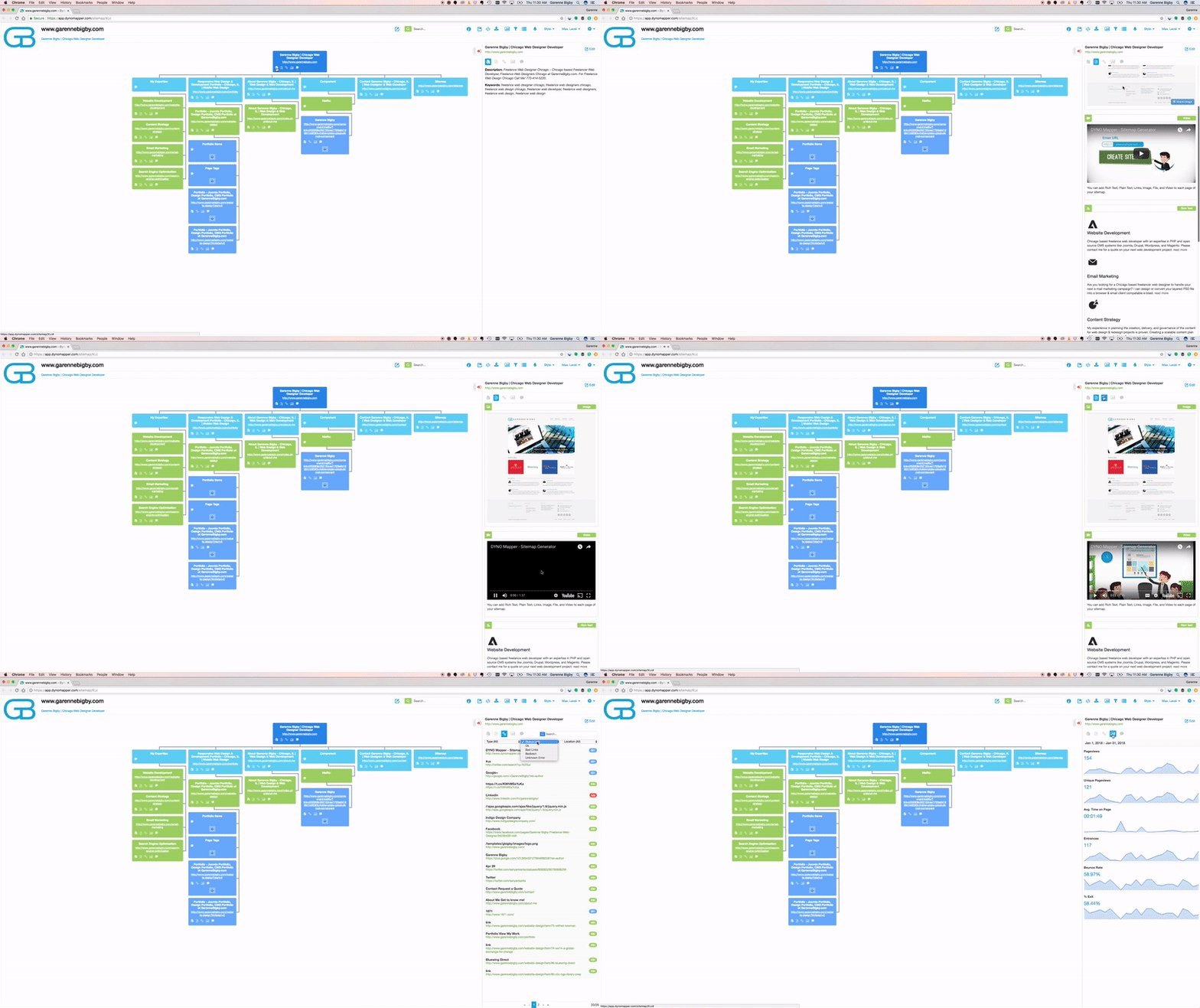
DYNO Mapper combines visual sitemaps, content inventory, content audit, and accessibility testing in one platform — making it especially useful when content planning is part of a larger website project (a redesign, a migration, or a recurring governance program). Plan your information architecture visually, inventory what you already have, and prioritize what to update or create with full context.
Integrations include Google Analytics for traffic-informed prioritization and recurring scheduled scans for ongoing maintenance. Subscriptions available for individuals, organizations, and enterprise.
2. CoSchedule
CoSchedule is a marketing calendar built around content scheduling, social-media coordination, and team collaboration. Its core view is the unified calendar — every blog post, social update, email campaign, and project visible in one timeline so cross-functional teams can spot conflicts and coordinate launches.
The Marketing Calendar tier handles content scheduling and social planning; the Marketing Suite tier adds work management, asset management, and AI-assisted content drafting. Strong fit for marketing teams that want a single source of truth for everything in flight.
3. Airtable
Airtable is a flexible relational-database-meets-spreadsheet that has become a default content-planning workspace for many marketing teams. Build a content database with rich fields (status, owner, due date, target keyword, channel, attachments), then surface it as a Kanban board, calendar, gallery, or Gantt view depending on the question you’re answering.
Real-time collaboration, automations, and AI-assisted content fields (added 2023-2024) make it adaptable to almost any editorial workflow. Free for small teams; paid tiers add advanced views, automations, and admin controls.
4. monday.com
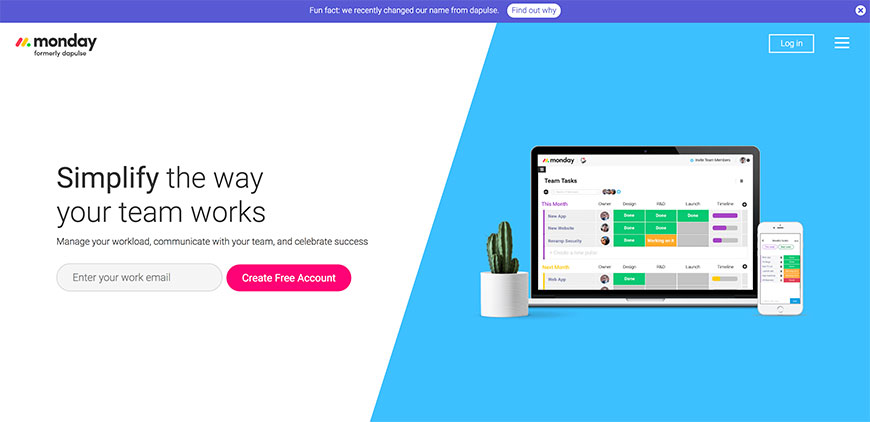
monday.com (founded 2012 as Dapulse, public since 2021) is one of the most-adopted work-management platforms, with deep templates for content calendars, editorial workflows, and campaign tracking. Color-coded statuses, owners, deadlines, and dependencies make it easy to see what’s on time and what’s slipping at a glance.
Strong on integrations — Slack, Google Workspace, Microsoft 365, Adobe Creative Cloud, HubSpot, Salesforce — and on customizable views (Kanban, Gantt, calendar, timeline). Especially popular with mid-market marketing teams that need cross-functional visibility.
5. Notion
Notion has become the de-facto content-planning workspace for many small-to-mid-size marketing teams. Build a content database with custom properties (status, owner, channel, target keyword, publish date), then layer documents, briefs, and meeting notes around it — all in one workspace, all linked.
Notion AI (launched 2023) adds drafting, summarizing, and Q&A across your workspace, useful for turning meeting notes into briefs or briefs into first drafts. Free personal plan; team and enterprise tiers scale up with admin controls and security features.
6. Slickplan
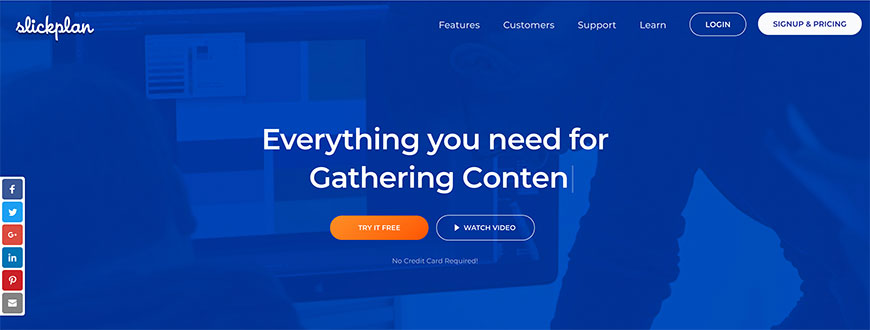
Slickplan is a visual sitemap and content-planning tool focused on the upstream work — IA design, page-by-page content briefs, and stakeholder review — that happens before any code or copy ships. Drag-and-drop sitemap builder, page-level content templates, design-mockup attachment, and team commenting let agencies and in-house teams align on structure before production.
Useful complement to project management: where Asana or monday.com tracks “is this task done,” Slickplan answers “what is this site supposed to be when we’re done.” Free trial available; subscription tiers for solo, small team, and agency use.
7. ClickUp
ClickUp is an all-in-one work-management platform with deep templates for content marketing — editorial calendars, content-brief workflows, asset libraries, and campaign tracking — alongside docs, whiteboards, and automations. Strong on flexibility (multiple view types per list, customizable statuses, custom fields) and on bringing the planning, briefing, drafting, and review steps into one tool.
ClickUp AI (added 2023) generates briefs, outlines, and first drafts directly inside tasks. Free tier covers most personal and small-team use; paid tiers add advanced automations and admin controls.
8. Google Docs

Google Docs is the workhorse of content drafting — free, real-time collaborative, version-controlled, and integrated with Drive, Gmail, Calendar, and the rest of Google Workspace. Most content teams use Docs for the actual writing even when their planning lives elsewhere (Notion, Airtable, monday.com, Asana).
Gemini AI (integrated into Workspace 2024-2025) adds drafting, summarizing, and rewriting directly in the document. Comments and suggestions support distributed editorial review without email chains. Free with a Google account; Workspace plans add admin controls, larger storage, and meeting tools.
HubSpot Content Hub (formerly CMS Hub, expanded into a broader content platform in 2024) bundles a CMS, blog editor, content remix tools, AI-assisted drafting, brand voice training, and content distribution under one roof. The pitch is end-to-end: plan, create, distribute, and measure content in the same platform that holds your CRM, marketing automation, and analytics.
Strong fit for marketing teams already in the HubSpot ecosystem. Free CMS tier covers basic publishing; paid tiers add SEO recommendations, A/B testing, and the AI content tools.
10. Trello
Trello is the original Kanban-board tool and remains a popular choice for content calendars, especially for small teams that want a low-overhead way to visualize what’s in draft, in review, scheduled, and published. Cards hold attachments, checklists, due dates, and collaborator assignments; Power-Ups add calendar views, custom fields, and integrations with Slack, Google Drive, and more.
Owned by Atlassian (since 2017), Trello pairs naturally with Confluence and Jira if you’re already in that ecosystem. Free tier supports unlimited cards on up to 10 boards per workspace; paid tiers add advanced features and unlimited boards.
Frequently asked questions
Do I need a dedicated content planning tool, or can I use a project management tool?
For most teams, a flexible work-management platform (Notion, Airtable, monday.com, ClickUp, Trello) is enough — content fits naturally as another type of work. Dedicated content tools (CoSchedule, HubSpot Content Hub) are worth the premium when you’re publishing across many channels, need built-in social scheduling, or want AI-assisted drafting and brand-voice tools alongside the calendar.
Where does AI fit in content planning in 2026?
Most modern tools have added AI features in the last two years: Notion AI for drafting and summarizing, Airtable AI for field-level generation, ClickUp AI for briefs and outlines, HubSpot AI for blog drafts, and Google Workspace’s Gemini for in-doc writing. AI handles ideation, briefs, and first drafts well; humans still own strategy, voice, and final review.
Can one tool replace multiple workflows (planning + writing + publishing)?
HubSpot Content Hub gets closest by bundling CMS, blog editor, and AI drafting in one platform. For most teams, though, the realistic stack is two or three tools — a planning workspace (Notion, Airtable, monday.com), a drafting tool (Google Docs, Word, ChatGPT/Claude), and a publishing destination (CMS, social scheduler). Don’t over-consolidate prematurely.
How does content planning relate to SEO and information architecture?
Content planning, SEO planning, and IA planning overlap heavily — keyword research informs the topics worth writing about, IA decisions shape where those topics live on the site, and the content calendar determines when they ship. Tools like DYNO Mapper and Slickplan handle the IA layer; tools like Frase, Surfer, and Clearscope handle the SEO-and-brief layer; the planning tools above handle the calendar-and-execution layer. Most mature programs use one of each.
The bottom line
Picking a content planning tool is mostly about matching the tool to where your team already works and what kind of content you ship. Small teams with a single channel do well with free Notion, Trello, or Airtable. Multi-channel marketing teams benefit from CoSchedule or HubSpot Content Hub. Cross-functional product-and-content teams usually land on monday.com, ClickUp, or Asana. Web redesign and IA work needs DYNO Mapper or Slickplan in the stack. Whatever you pick, the win comes from actually using it consistently — adoption, not features, decides whether content planning sticks.